DiffusionLight: Light Probes for Free by Painting a Chrome Ball
Project Page | Paper | Github | Colab

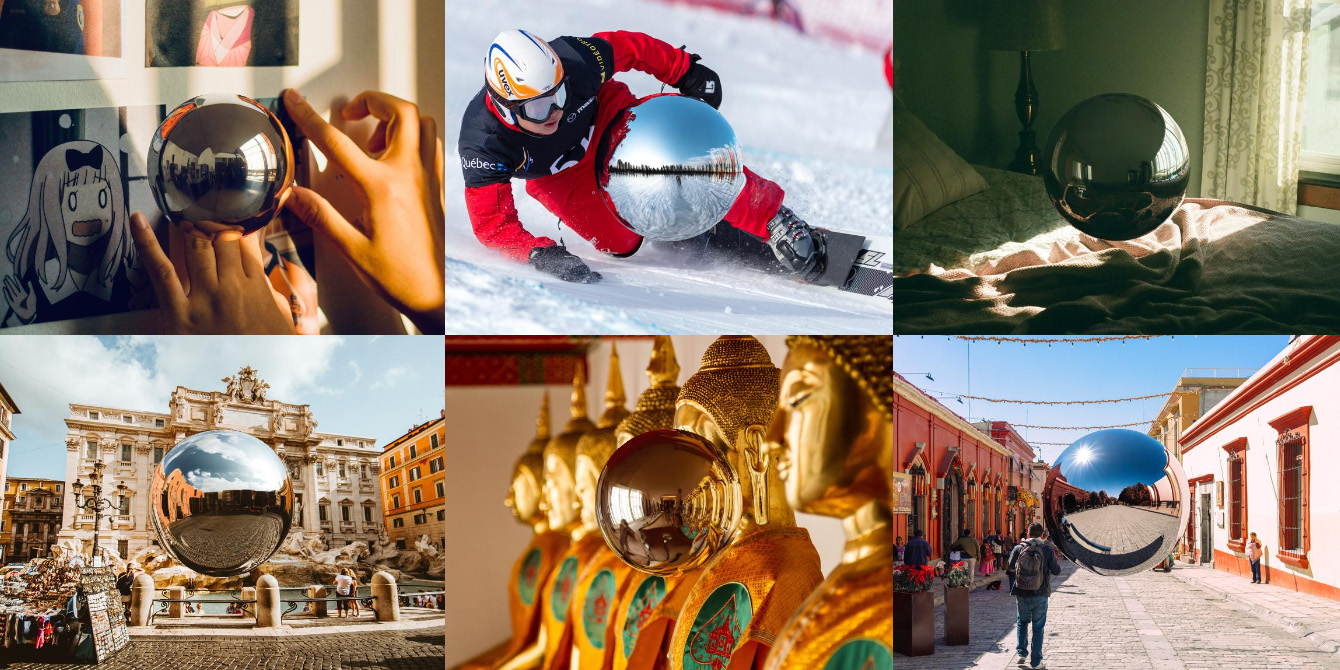
We present a simple yet effective technique to estimate lighting in a single input image. Current techniques rely heavily on HDR panorama datasets to train neural networks to regress an input with limited field-of-view to a full environment map. However, these approaches often struggle with real-world, uncontrolled settings due to the limited diversity and size of their datasets. To address this problem, we leverage diffusion models trained on billions of standard images to render a chrome ball into the input image. Despite its simplicity, this task remains challenging: the diffusion models often insert incorrect or inconsistent objects and cannot readily generate images in HDR format. Our research uncovers a surprising relationship between the appearance of chrome balls and the initial diffusion noise map, which we utilize to consistently generate high-quality chrome balls. We further fine-tune an LDR difusion model (Stable Diffusion XL) with LoRA, enabling it to perform exposure bracketing for HDR light estimation. Our method produces convincing light estimates across diverse settings and demonstrates superior generalization to in-the-wild scenarios.
Usage
We recommend checking out Github Repository: https://github.com/DiffusionLight/DiffusionLight, which provides code for estimating light from any image. This includes generating the chrome ball, extracting the environment map from the chrome ball, and create HDR environment map using our custom exposure basket method.
Download model
Weights for this model are available in Safetensors format.
Download them in the Files & versions tab.
Trigger words
| Chromeball | Prompt |
|---|---|
| Normally exposed | a perfect mirrored reflective chrome ball sphere |
| Underexposed | a perfect black dark mirrored reflective chrome ball sphere |
Chromeball generation
We employ a custom pipeline to enrich the chromeball with features customized for our needs. This includes anti-aliasing to smooth out its edges, iterative inpainting to enhance the correctness of light direction, and embedding interpolation to generate the chromeball in various exposures. Therefore, we strongly encourage you to visit our GitHub repository.
However, if you prefer a vanilla off-the-shelf code from diffusers to generate the chrome ball solely using this LoRA, here's an example you can reference:
import torch
from diffusers.utils import load_image
from diffusers import StableDiffusionXLControlNetInpaintPipeline, ControlNetModel
from transformers import pipeline
from PIL import Image
import numpy as np

# Configuration
IS_UNDER_EXPOSURE = False #change this option for output underexposured ball
if IS_UNDER_EXPOSURE:
    PROMPT = "a perfect black dark mirrored reflective chrome ball sphere"
else:
    PROMPT = "a perfect mirrored reflective chrome ball sphere"

NEGATIVE_PROMPT = "matte, diffuse, flat, dull"
IMAGE_URL = "https://raw.githubusercontent.com/DiffusionLight/DiffusionLight/main/example/bed.png"

# load pipeline
controlnet = ControlNetModel.from_pretrained("diffusers/controlnet-depth-sdxl-1.0", torch_dtype=torch.float16)
pipe = StableDiffusionXLControlNetInpaintPipeline.from_pretrained(
    "stabilityai/stable-diffusion-xl-base-1.0",
    controlnet=controlnet,
    torch_dtype=torch.float16,
).to("cuda")
pipe.load_lora_weights("DiffusionLight/DiffusionLight")
pipe.fuse_lora(lora_scale=0.75)
depth_estimator = pipeline(task="depth-estimation", model="Intel/dpt-large")

# prepare input image
init_image = load_image(IMAGE_URL)
depth_image = depth_estimator(images=init_image)['depth']

# create mask and depth map with mask for inpainting
def get_circle_mask(size=256):
    x = torch.linspace(-1, 1, size)
    y = torch.linspace(1, -1, size)
    y, x = torch.meshgrid(y, x)
    z = (1 - x**2 - y**2)
    mask = z >= 0
    return mask
mask = get_circle_mask().numpy()
depth = np.asarray(depth_image).copy()
depth[384:640, 384:640] = depth[384:640, 384:640] * (1 - mask) + (mask * 255)
depth_mask = Image.fromarray(depth)
mask_image = np.zeros_like(depth)
mask_image[384:640, 384:640] = mask * 255
mask_image = Image.fromarray(mask_image)

# run the pipeline
output = pipe(
    prompt=PROMPT,
    negative_prompt=NEGATIVE_PROMPT,
    num_inference_steps=30,
    image=init_image,
    mask_image=mask_image,
    control_image=depth_mask,
    controlnet_conditioning_scale=0.5,
)

# save output
output["images"][0].save("output.png")
Citation
@inproceedings{Phongthawee2023DiffusionLight,
    author = {Phongthawee, Pakkapon and Chinchuthakun, Worameth and Sinsunthithet, Nontaphat and Raj, Amit and Jampani, Varun and Khungurn, Pramook and Suwajanakorn, Supasorn},
    title = {DiffusionLight: Light Probes for Free by Painting a Chrome Ball},
    booktitle = {ArXiv},
    year = {2023},
}
Visit us 🦉

