Qwen Image Edit 2509 ONNX GenAI package
This package reuses the existing 56.5 GB real ONNX weights without re-uploading unchanged external data. Source: Qwen/Qwen-Image-Edit-2509 at d3968ef930e841f4c73640fb8afa3b306a78167e (apache-2.0). inference_metadata.yaml is canonical hashless workflow IR.
Verified generic-runtime result
The current ONNX GenAI workflow executed the complete real-weight image-edit path on an NVIDIA H200 with ONNX Runtime 1.28.0: 77.0 s engine load, 14.9 s pipeline execution, 93.176 s wall time, and 46,013 MiB peak GPU memory. The request uses seed 42, 8 flow-matching steps, true-CFG scale 4.0, and a 512×512 fox input. See request.json, runtime_evidence.json, runtime_outputs.log, input.png, and output.png.
Verified OpenAI Images and A1111 APIs
ONNX GenAI 4a1bf6ebcb78e8cc9f2d0534d4acad57ab99b50e executed the same real edit through both HTTP surfaces using the metadata-declared typed application_inputs contract. The tensors were produced by prepare_runtime_inputs.py from this package's exact prompt, negative prompt, source PNG, seed, and real pinned weights; the server validates every input name, dtype, rank, and byte count rather than pretending it can derive Qwen conditioning from ordinary CLIP tokenization.
- OpenAI
POST /v1/images/generations: HTTP 200, 4.848481 s,api_evidence/openai_output.png - A1111
POST /sdapi/v1/img2img: HTTP 200, 3.153766 s,api_evidence/a1111_output.png - Peak GPU memory across the final requests: 48,322 MiB
- Both outputs are real 512×512 RGB PNGs (414,920 bytes, SHA-256
e12a8b978be11df64227bdc4ca42d6a5fe68ff98dbff81f769e8abc758eba2d3)
Exact requests, full responses, timing, memory samples, server log, and commands are under api_evidence/; see api_runtime_evidence.json.
curl -H 'Content-Type: application/json' \
  --data-binary @api_evidence/openai_images_request.json \
  http://127.0.0.1:18080/v1/images/generations \
  -o api_evidence/openai_images_response.json

curl -H 'Content-Type: application/json' \
  --data-binary @api_evidence/a1111_img2img_request.json \
  http://127.0.0.1:18080/sdapi/v1/img2img \
  -o api_evidence/a1111_img2img_response.json
Selective metadata/evidence download
hf download justinchuby/onnx-genai-example-qwen-image-edit-2509 --include 'inference_metadata.yaml' --include 'policies/*' --include 'request.json' --include 'input.png' --include 'output.png' --include '*evidence*.json' --include 'api_evidence/*' --local-dir qwen-image-edit-2509-evidence
Full runtime
hf download justinchuby/onnx-genai-example-qwen-image-edit-2509 --local-dir qwen-image-edit-2509
cd qwen-image-edit-2509 && python prepare_runtime_inputs.py
QWEN_IMAGE_EDIT_PACKAGE_DIR=$PWD QWEN_IMAGE_EDIT_INPUT_DIR=$PWD/runtime_inputs QWEN_IMAGE_EDIT_OUTPUT_DIR=$PWD/runtime_outputs QWEN_IMAGE_EDIT_STEPS=8 ONNX_GENAI_EP=cuda ONNX_GENAI_EP_FALLBACK=1 ONNX_GENAI_ORT_LIB=<ort-capi>/libonnxruntime.so.1.28.0 cargo test -p onnx-genai-engine --features onnx-genai-ort/cuda --test qwen_image_edit_workflow_e2e -- --ignored --nocapture
Introduction
This September, we are pleased to introduce Qwen-Image-Edit-2509, the monthly iteration of Qwen-Image-Edit. To experience the latest model, please visit Qwen Chat and select the "Image Editing" feature. Compared with Qwen-Image-Edit released in August, the main improvements of Qwen-Image-Edit-2509 include:
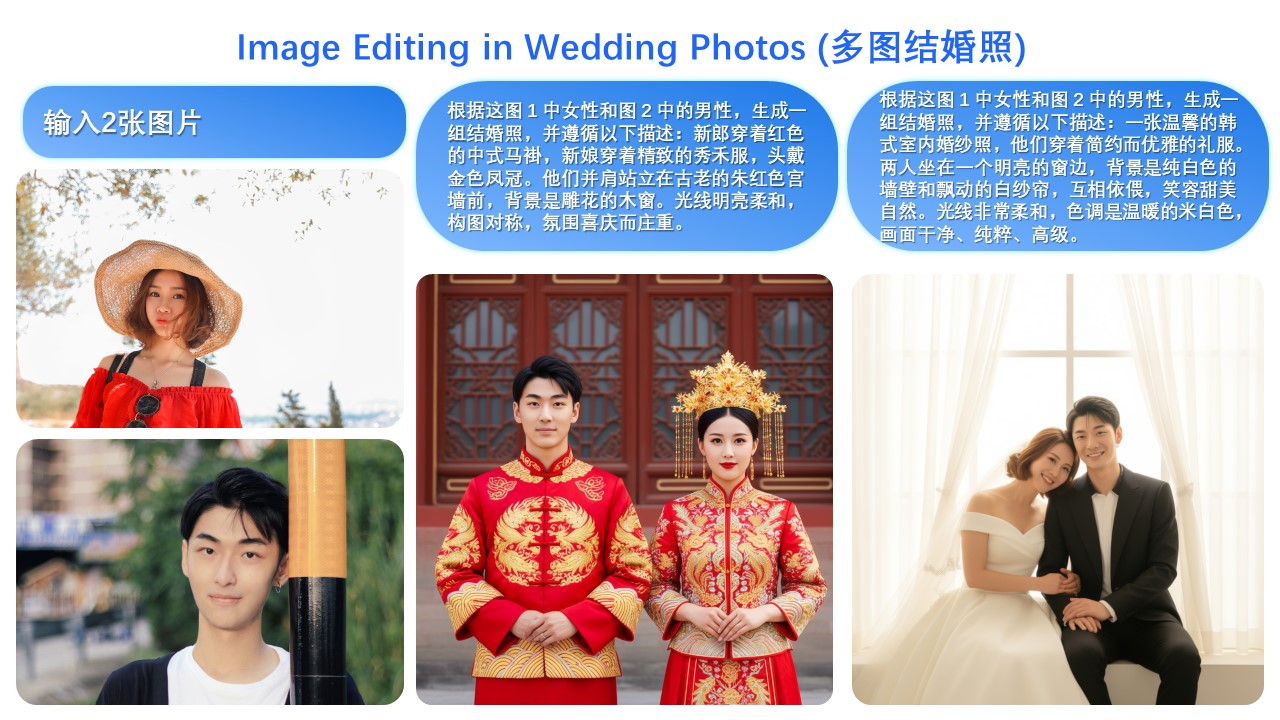
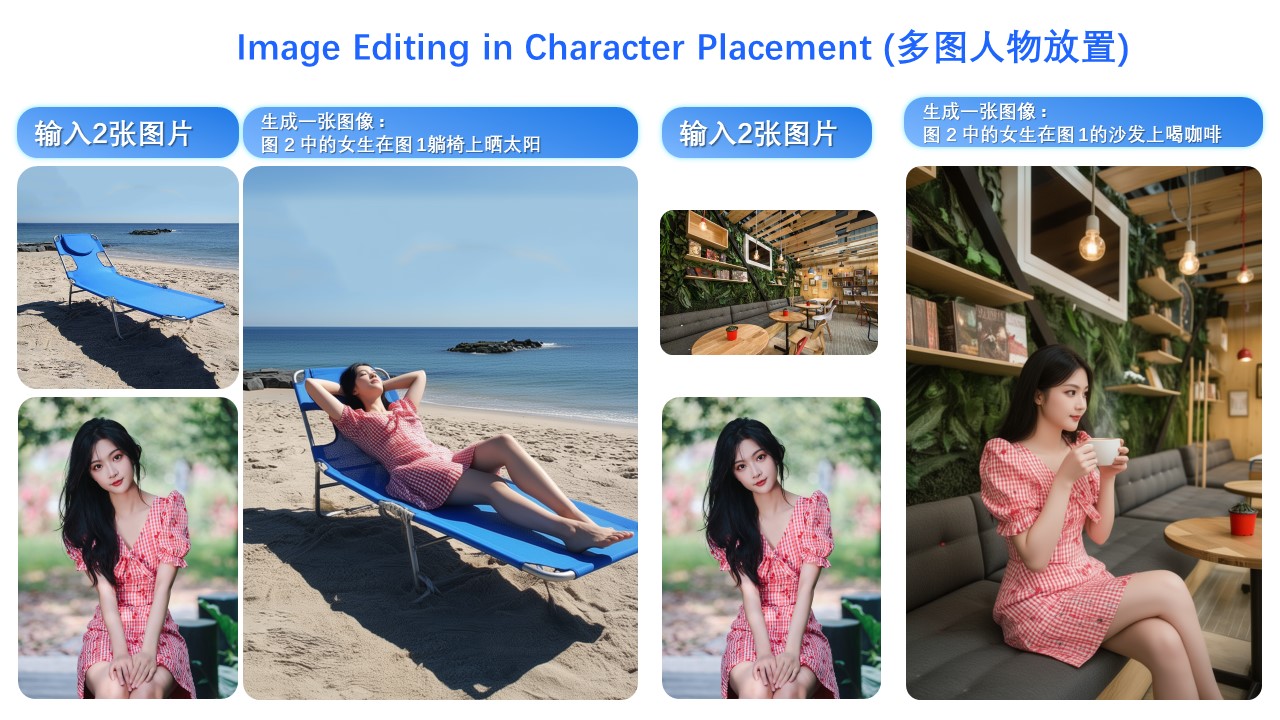
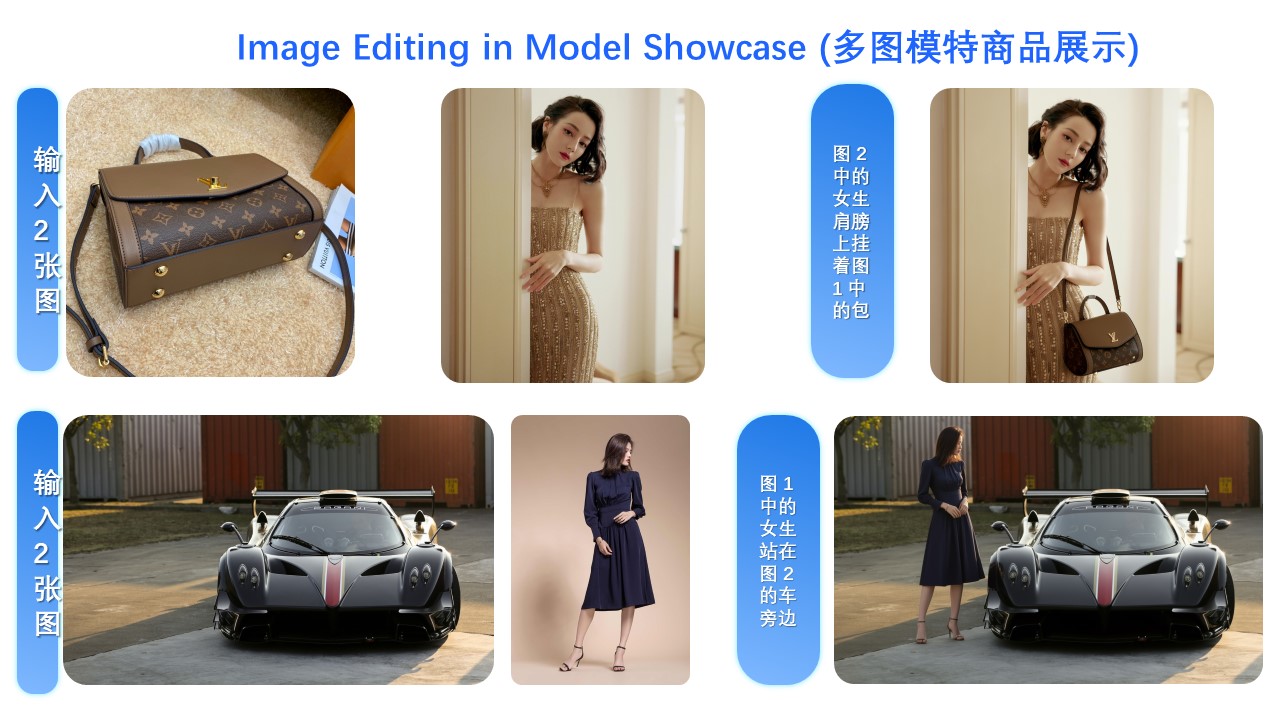
- Multi-image Editing Support: For multi-image inputs, Qwen-Image-Edit-2509 builds upon the Qwen-Image-Edit architecture and is further trained via image concatenation to enable multi-image editing. It supports various combinations such as "person + person," "person + product," and "person + scene." Optimal performance is currently achieved with 1 to 3 input images.
- Enhanced Single-image Consistency: For single-image inputs, Qwen-Image-Edit-2509 significantly improves editing consistency, specifically in the following areas:
- Improved Person Editing Consistency: Better preservation of facial identity, supporting various portrait styles and pose transformations;
- Improved Product Editing Consistency: Better preservation of product identity, supporting product poster editing;
- Improved Text Editing Consistency: In addition to modifying text content, it also supports editing text fonts, colors, and materials;
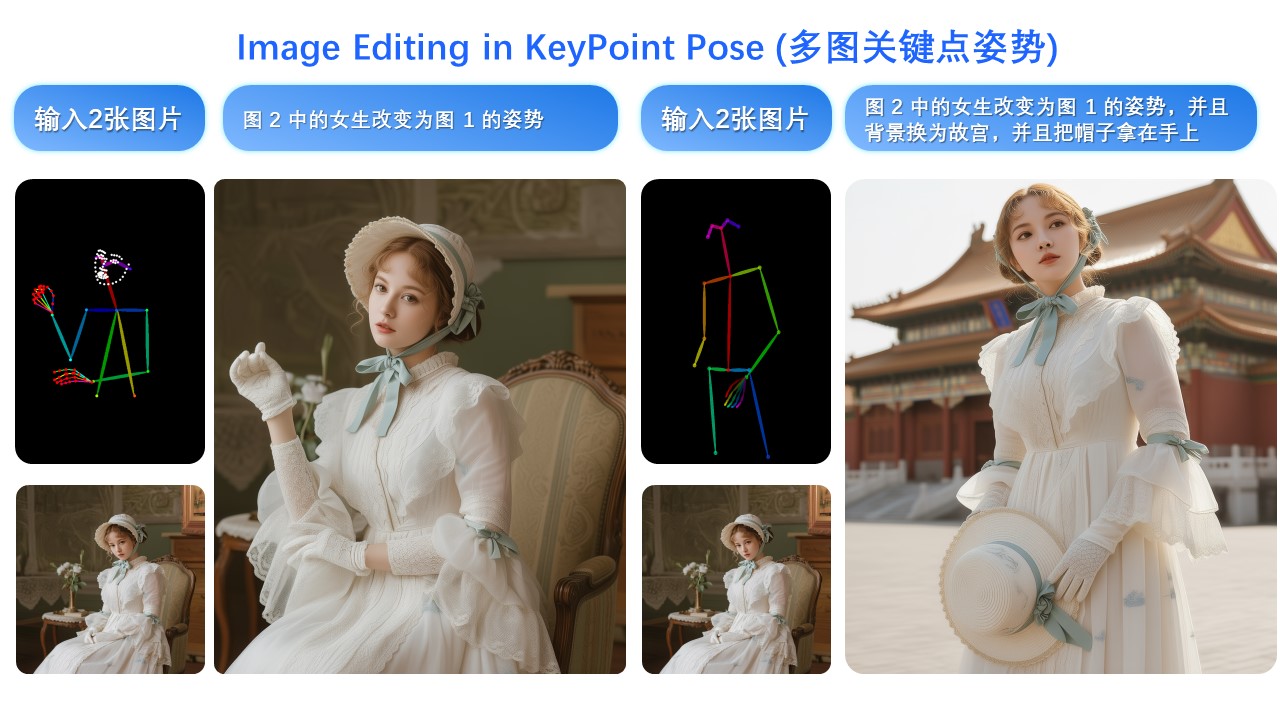
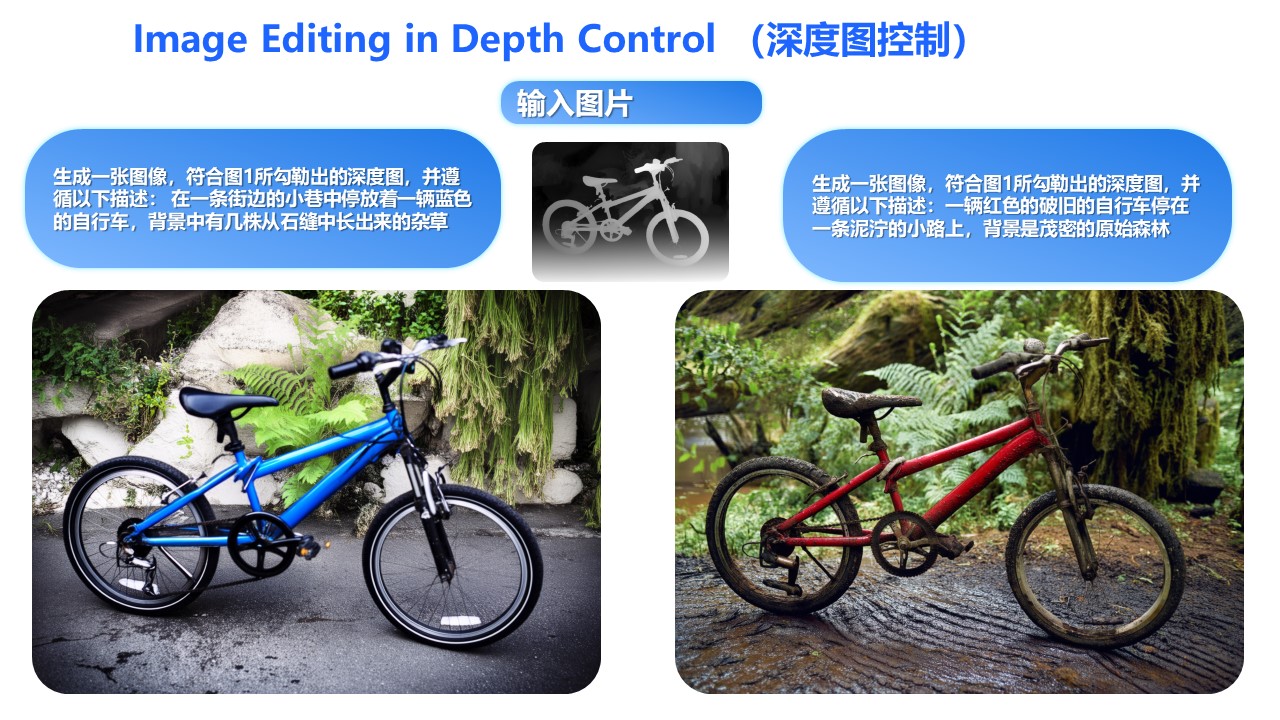
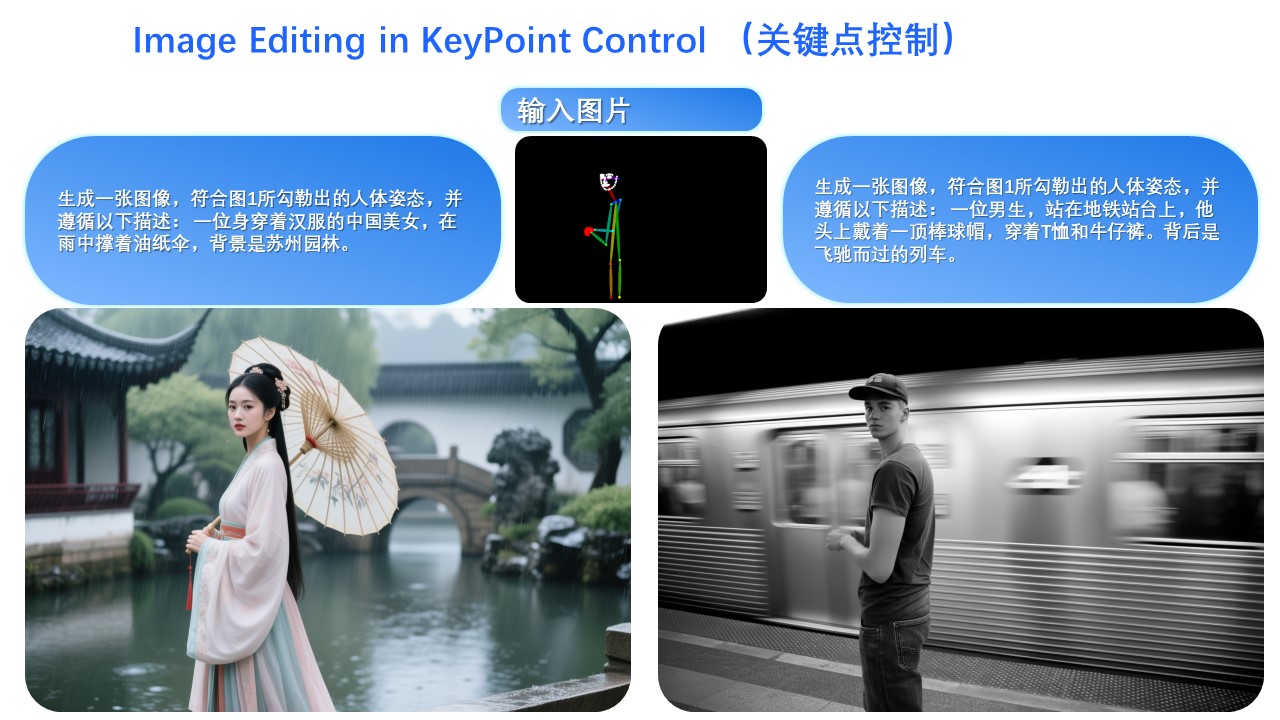
- Native Support for ControlNet: Including depth maps, edge maps, keypoint maps, and more.
Quick Start
Install the latest version of diffusers
pip install git+https://github.com/huggingface/diffusers
The following contains a code snippet illustrating how to use Qwen-Image-Edit-2509:
import os
import torch
from PIL import Image
from diffusers import QwenImageEditPlusPipeline

pipeline = QwenImageEditPlusPipeline.from_pretrained("Qwen/Qwen-Image-Edit-2509", torch_dtype=torch.bfloat16)
print("pipeline loaded")

pipeline.to('cuda')
pipeline.set_progress_bar_config(disable=None)
image1 = Image.open("input1.png")
image2 = Image.open("input2.png")
prompt = "The magician bear is on the left, the alchemist bear is on the right, facing each other in the central park square."
inputs = {
    "image": [image1, image2],
    "prompt": prompt,
    "generator": torch.manual_seed(0),
    "true_cfg_scale": 4.0,
    "negative_prompt": " ",
    "num_inference_steps": 40,
    "guidance_scale": 1.0,
    "num_images_per_prompt": 1,
}
with torch.inference_mode():
    output = pipeline(**inputs)
    output_image = output.images[0]
    output_image.save("output_image_edit_plus.png")
    print("image saved at", os.path.abspath("output_image_edit_plus.png"))
Showcase
The primary update in Qwen-Image-Edit-2509 is support for multi-image inputs.
Let’s first look at a "person + person" example:
Here is a "person + scene" example:
Below is a "person + object" example:
In fact, multi-image input also supports commonly used ControlNet keypoint maps—for example, changing a person’s pose:
Similarly, the following examples demonstrate results using three input images:
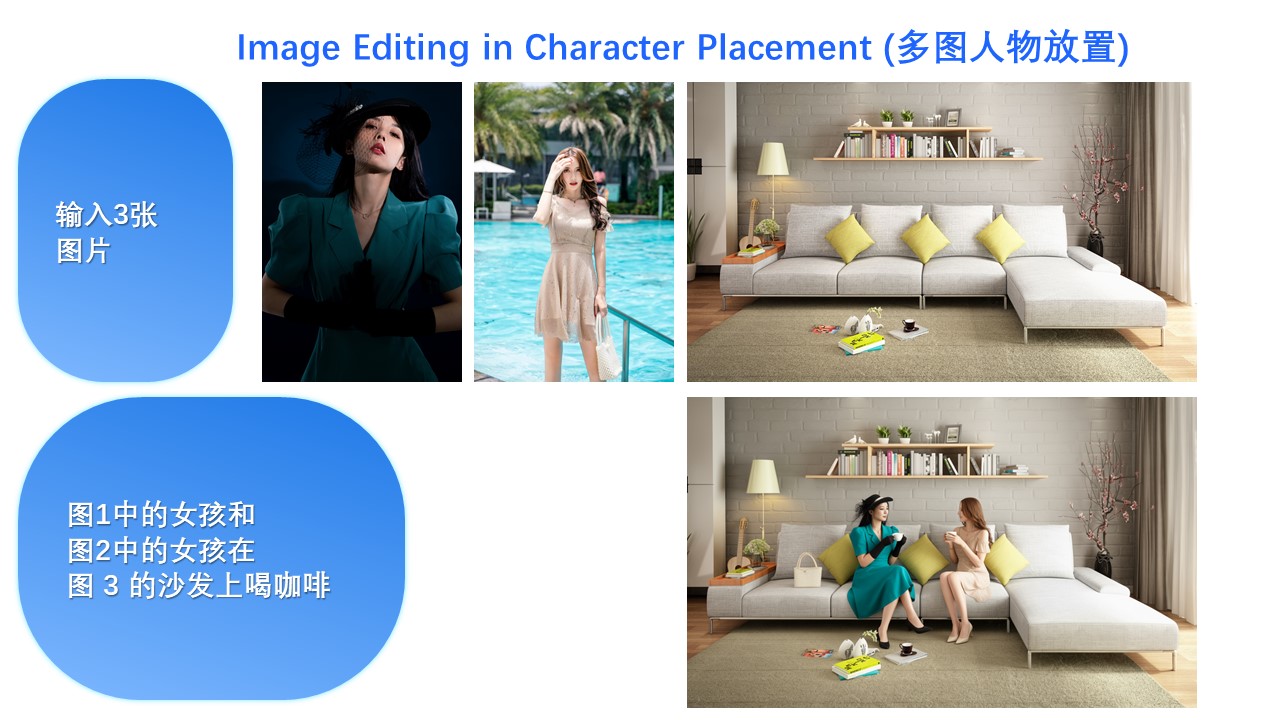
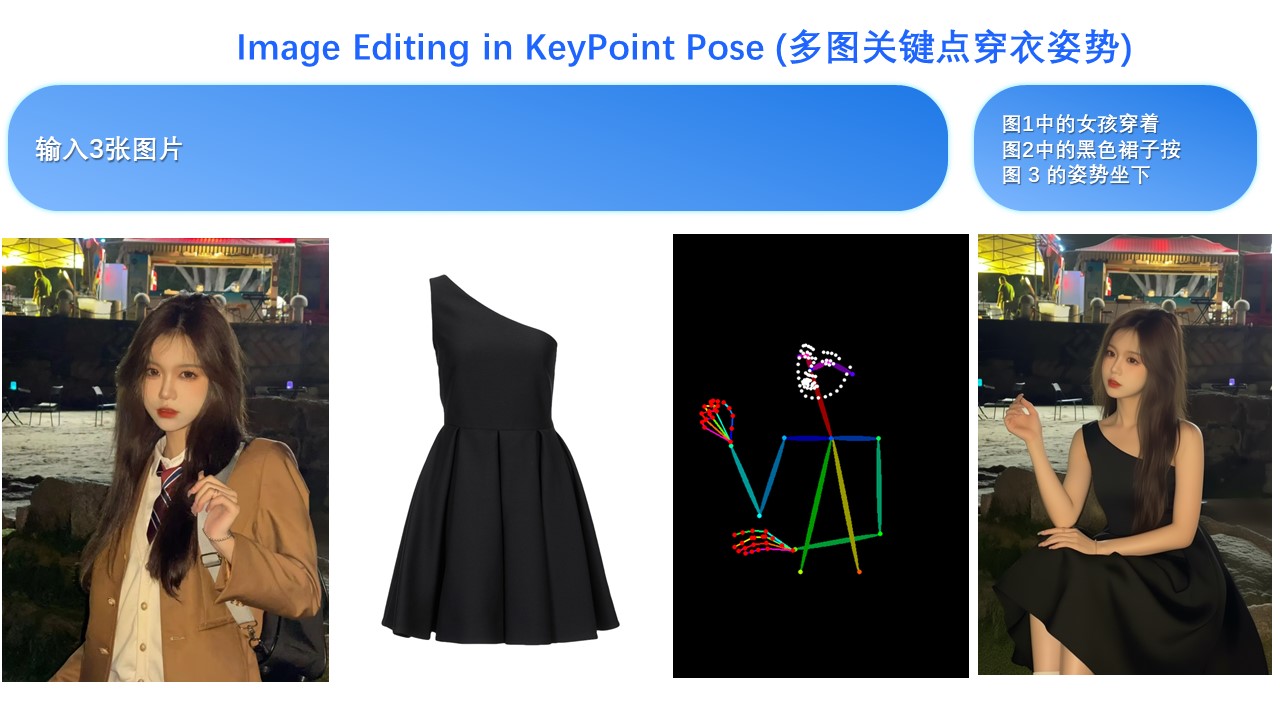
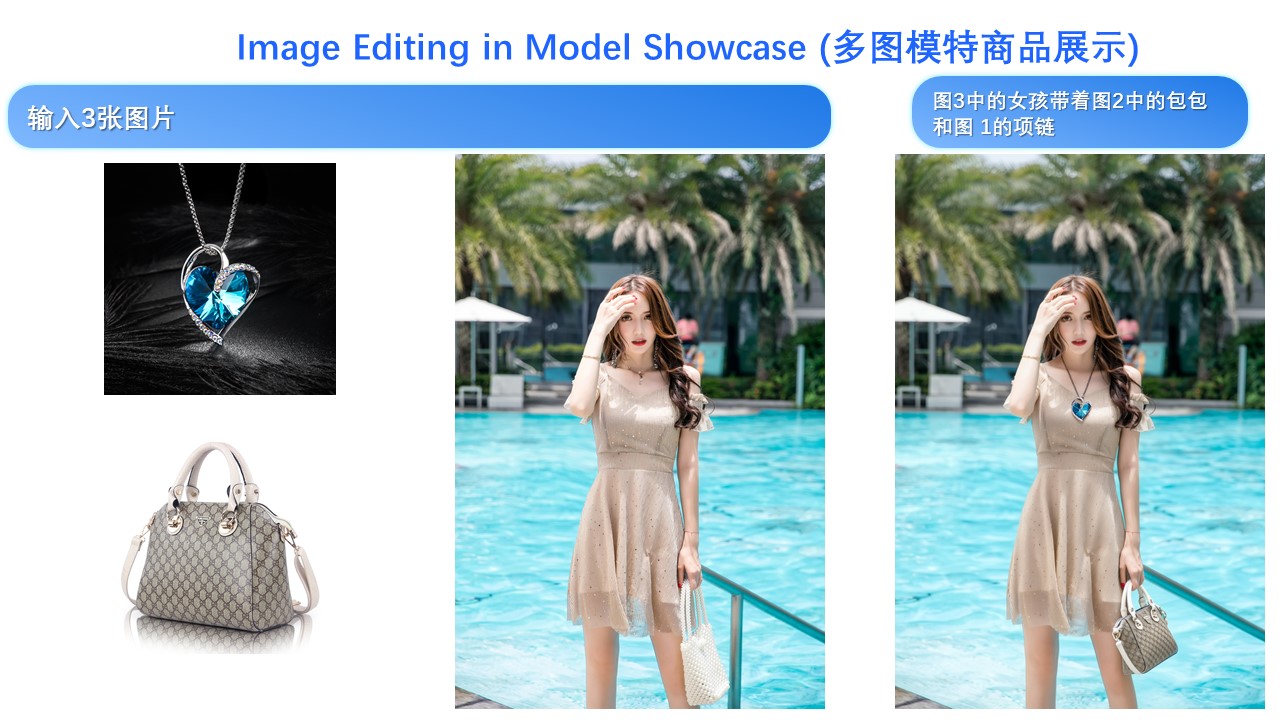
Another major update in Qwen-Image-Edit-2509 is enhanced consistency.
First, regarding person consistency, Qwen-Image-Edit-2509 shows significant improvement over Qwen-Image-Edit. Below are examples generating various portrait styles:
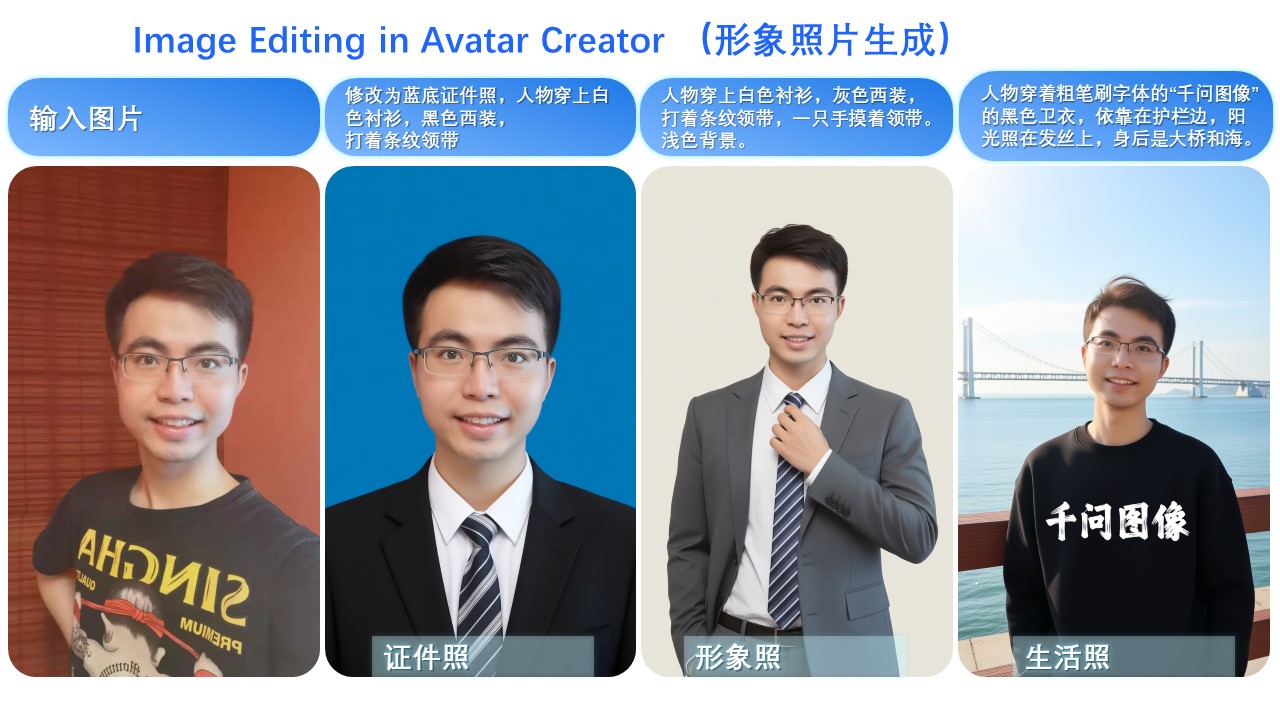
For instance, changing a person’s pose while maintaining excellent identity consistency:
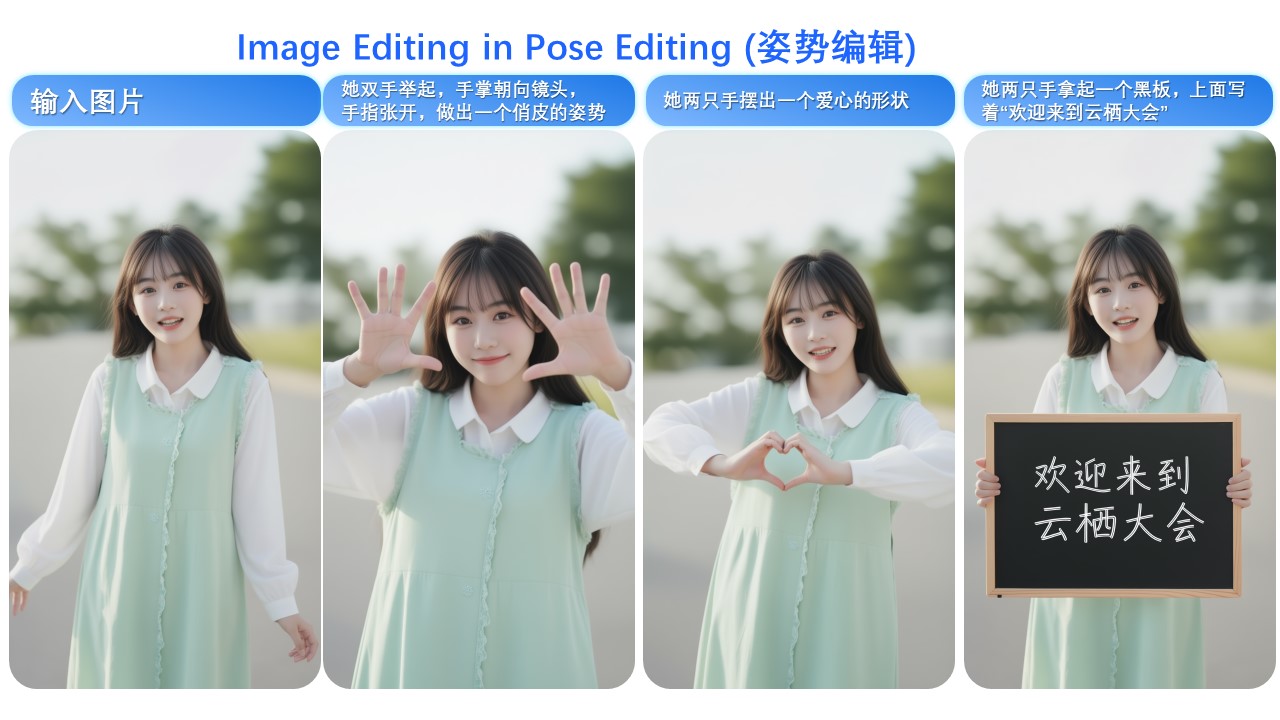
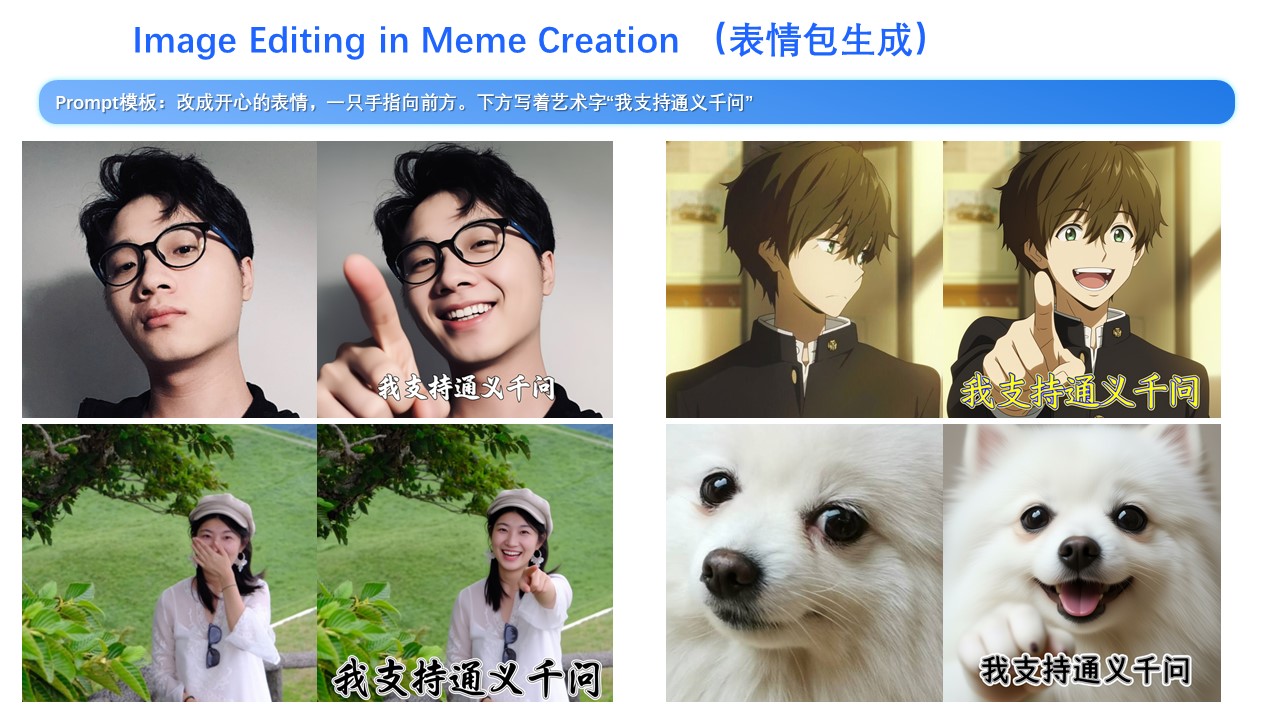
Leveraging this improvement along with Qwen-Image’s unique text rendering capability, we find that Qwen-Image-Edit-2509 excels at creating meme images:
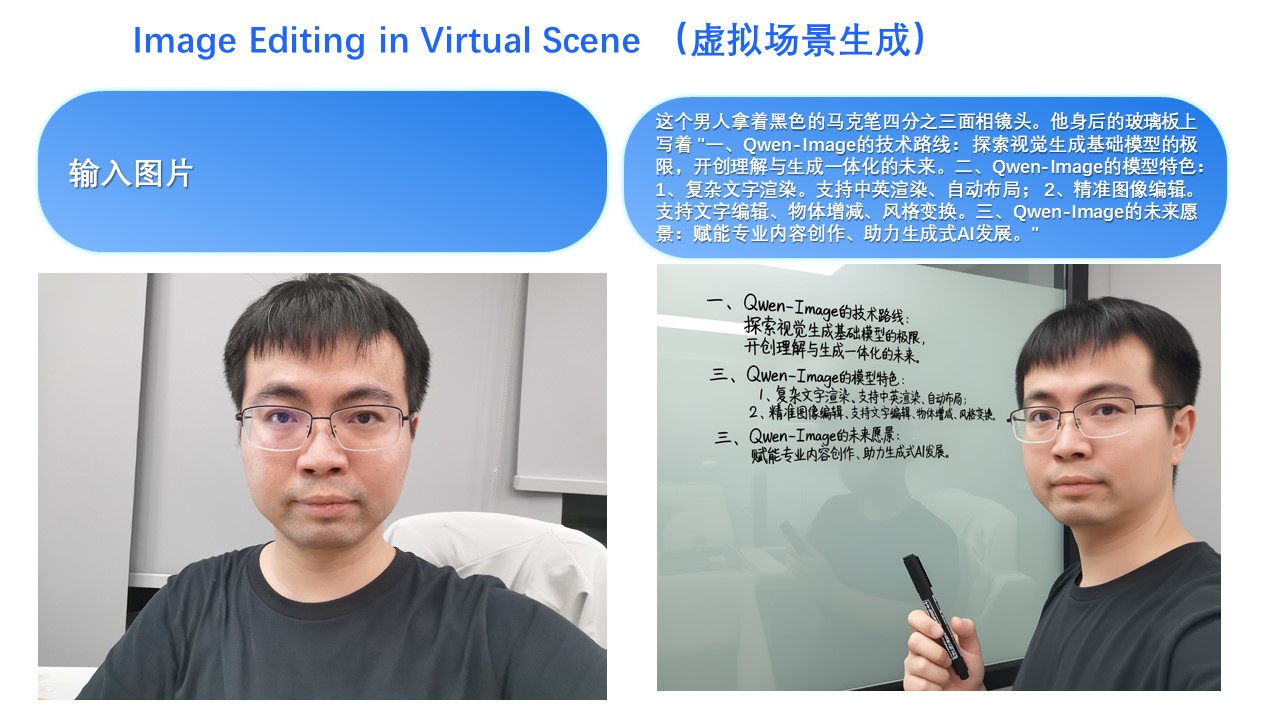
Of course, even with longer text, Qwen-Image-Edit-2509 can still render it while preserving the person’s identity:
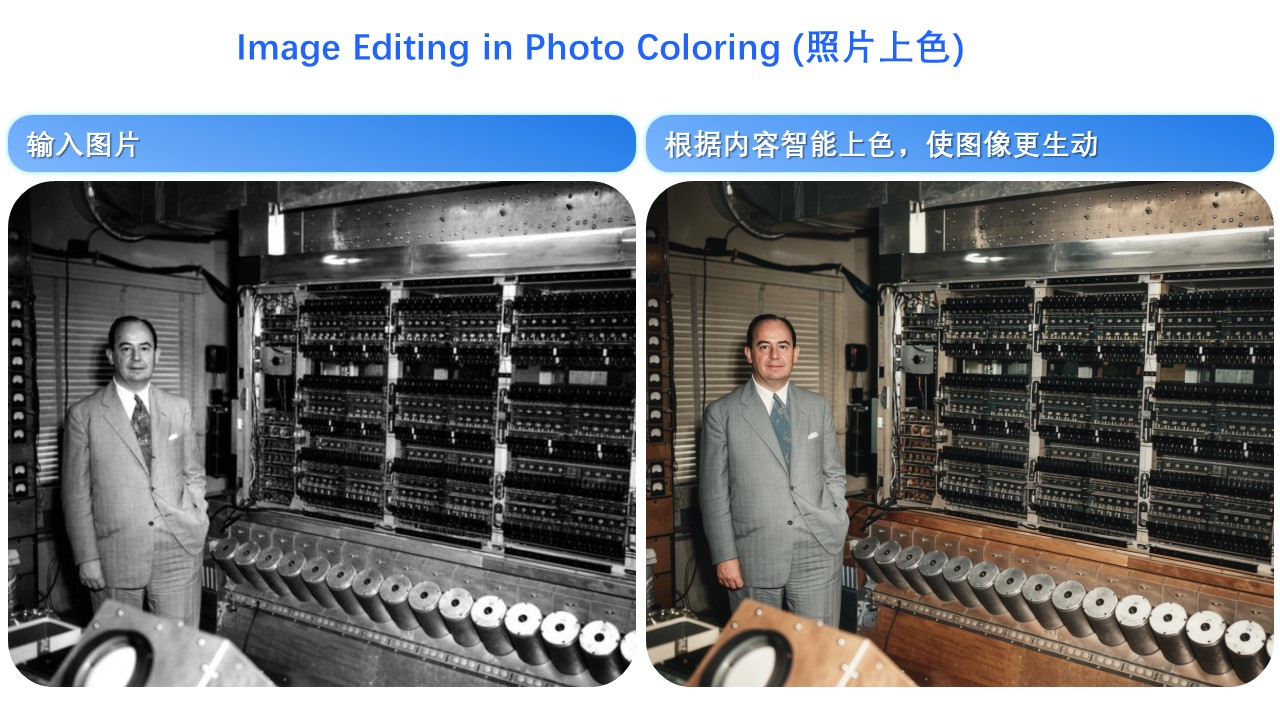
Person consistency is also evident in old photo restoration. Below are two examples:
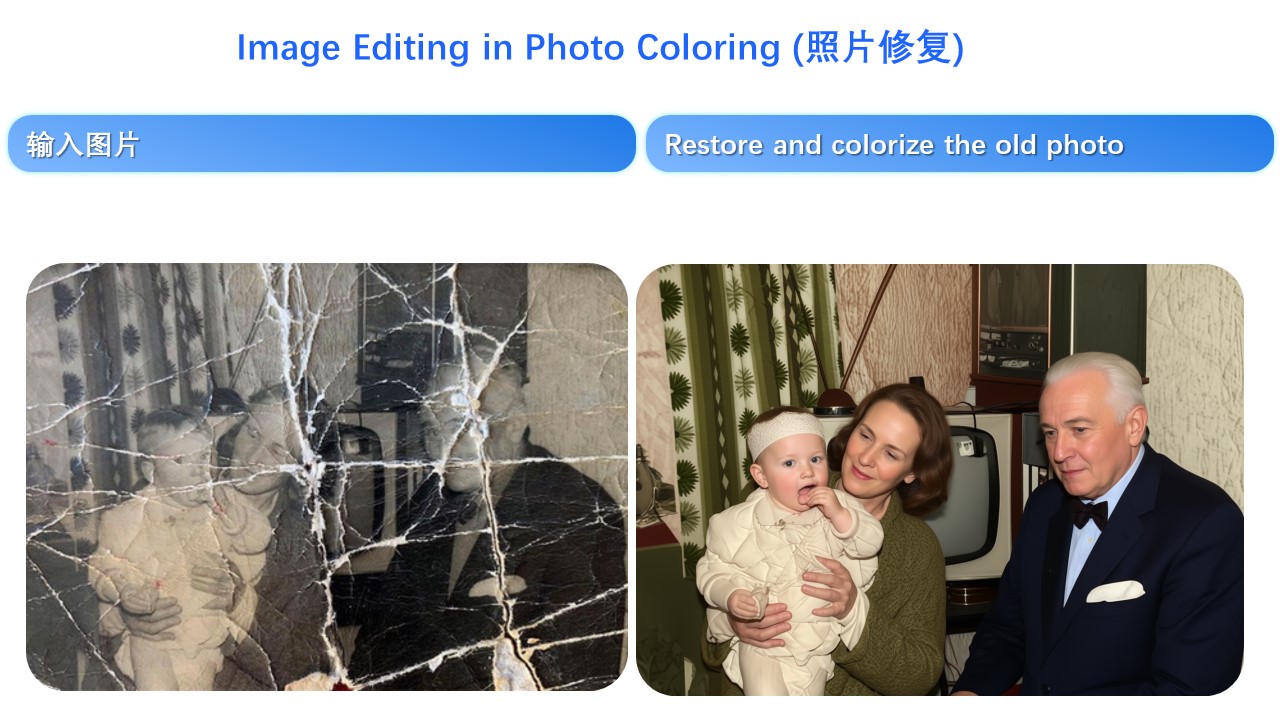
Naturally, besides real people, generating cartoon characters and cultural creations is also possible:
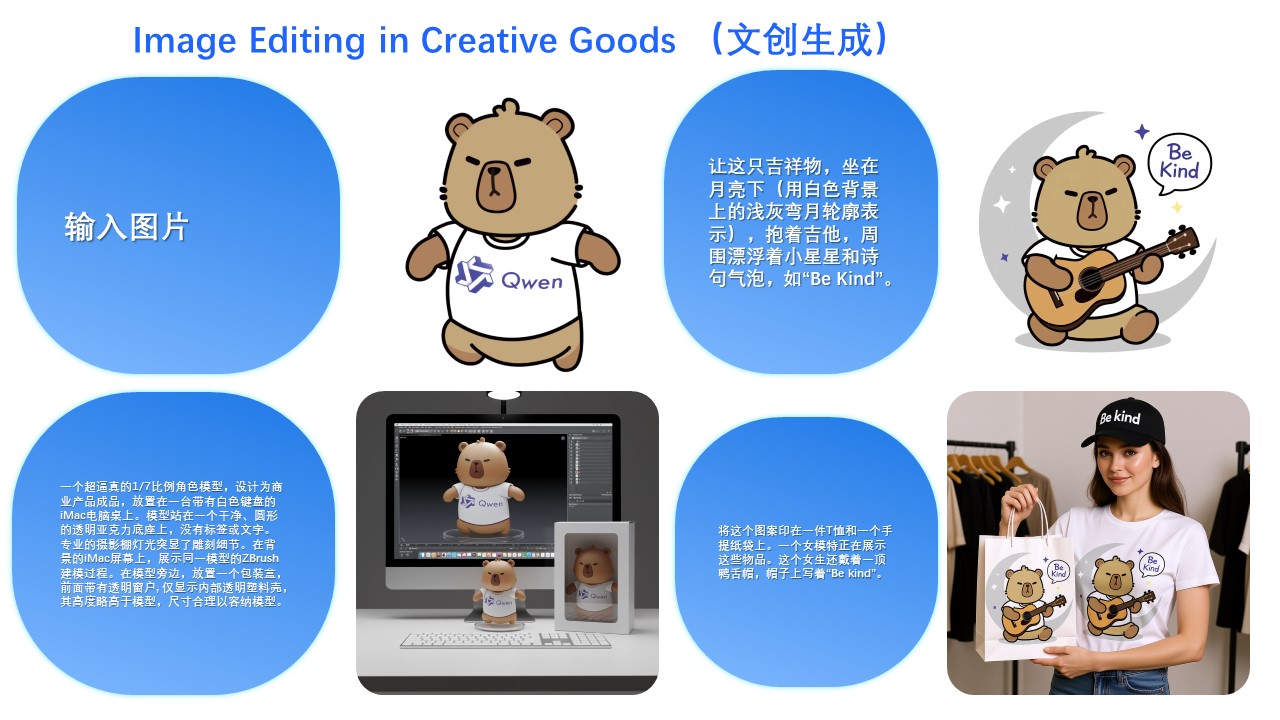
Second, Qwen-Image-Edit-2509 specifically enhances product consistency. We find that the model can naturally generate product posters from plain-background product images:
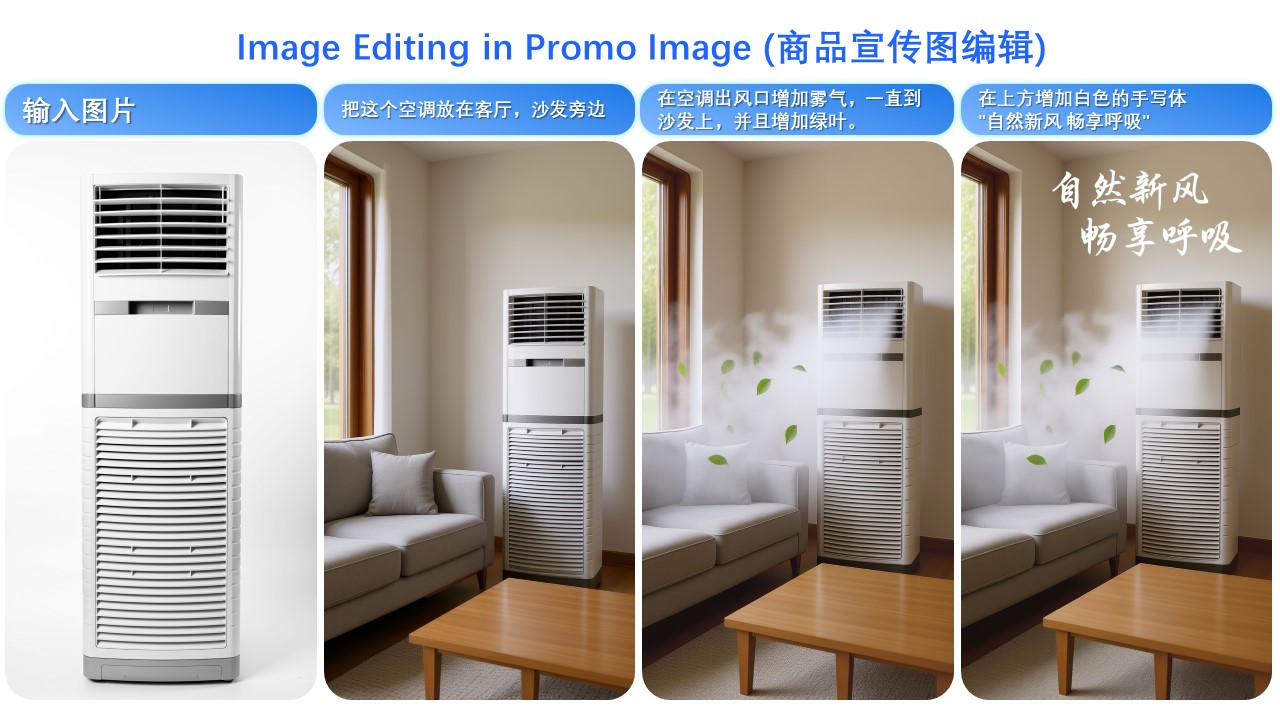
Or even simple logos:
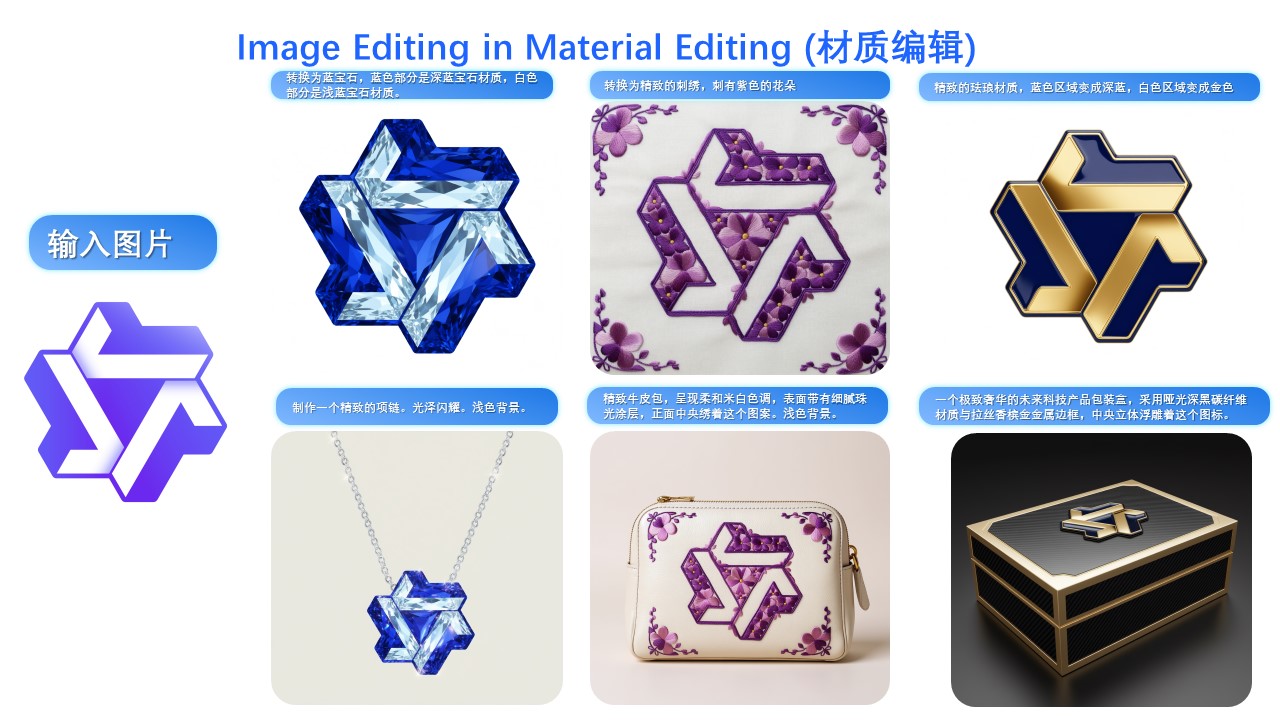
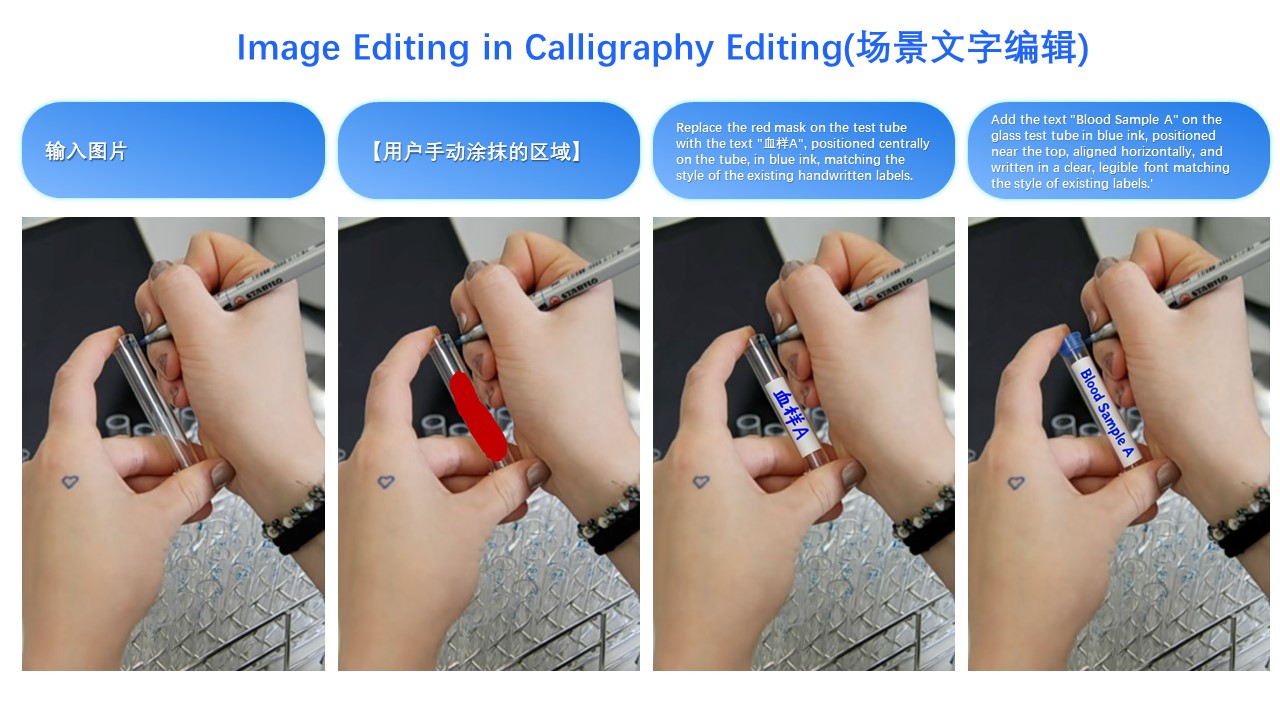
Third, Qwen-Image-Edit-2509 specifically enhances text consistency and supports editing font type, font color, and font material:
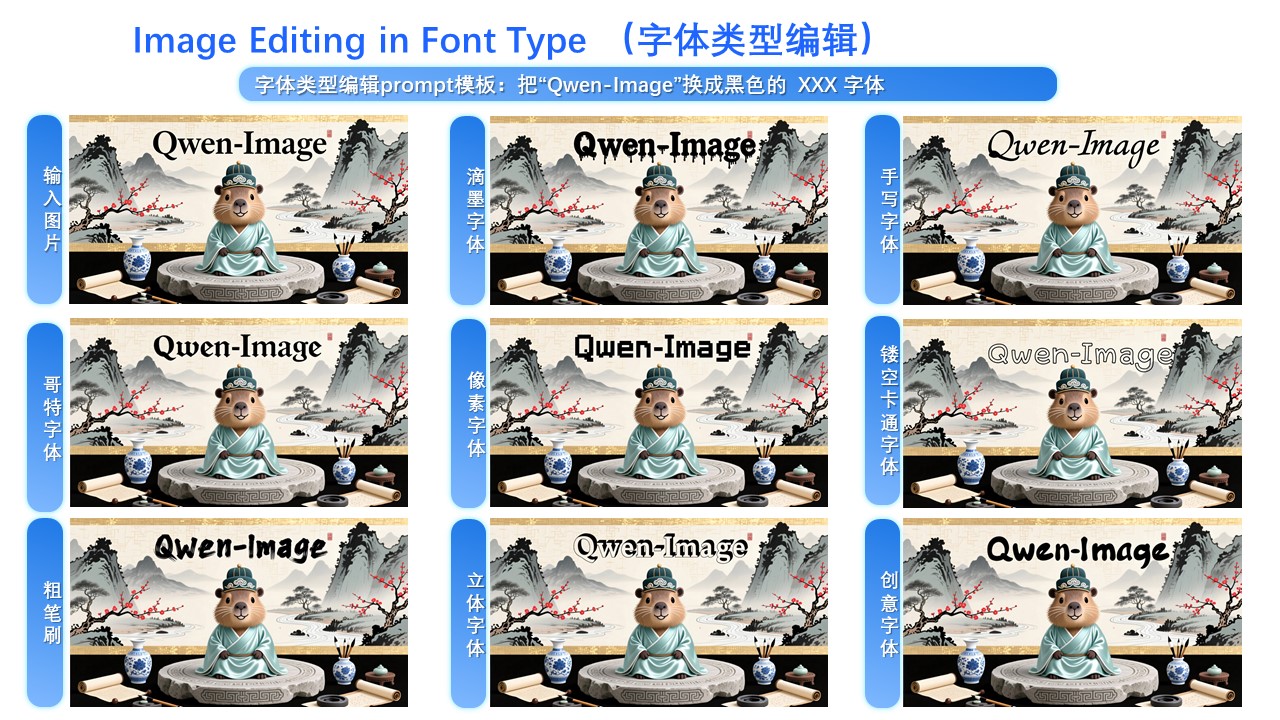
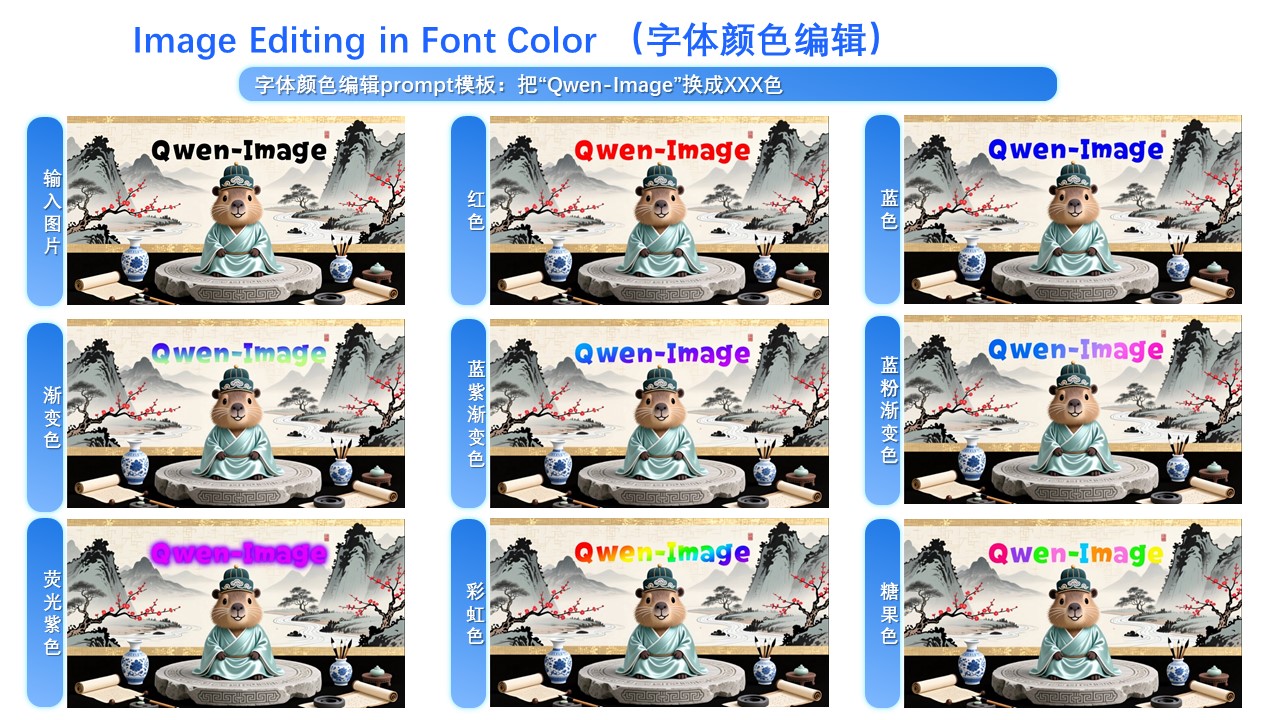
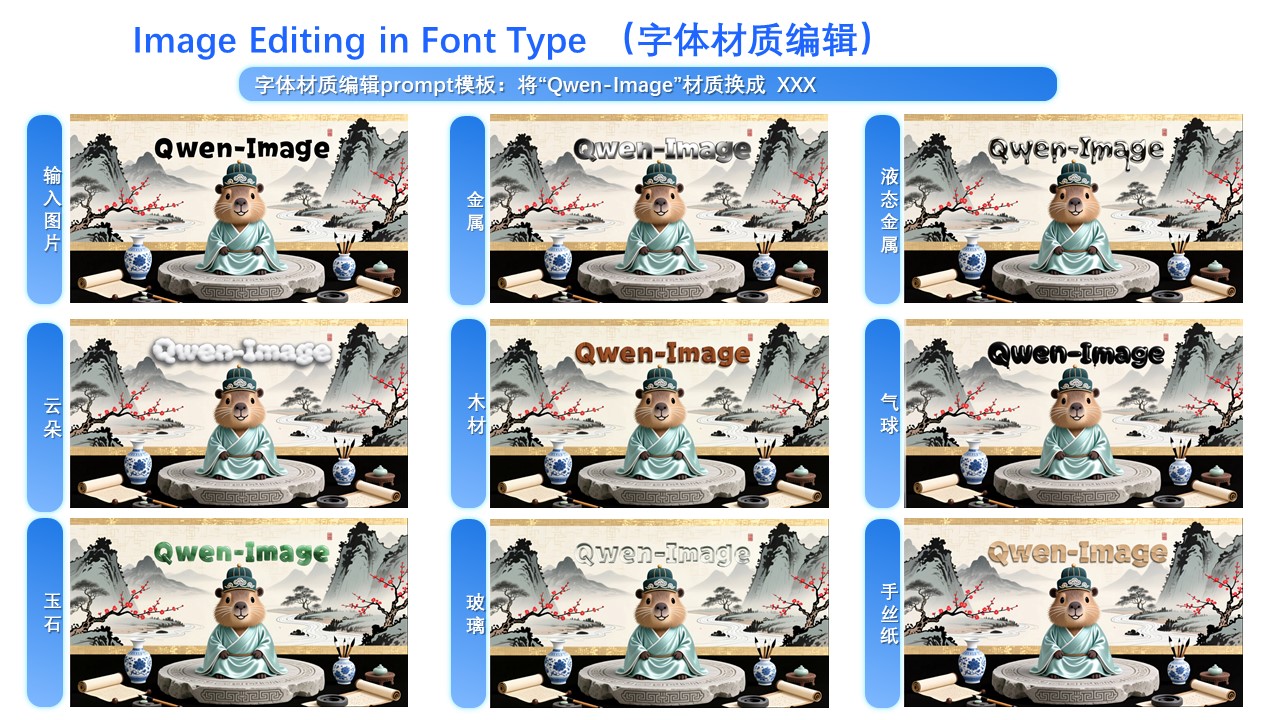
Moreover, the ability for precise text editing has been significantly enhanced:
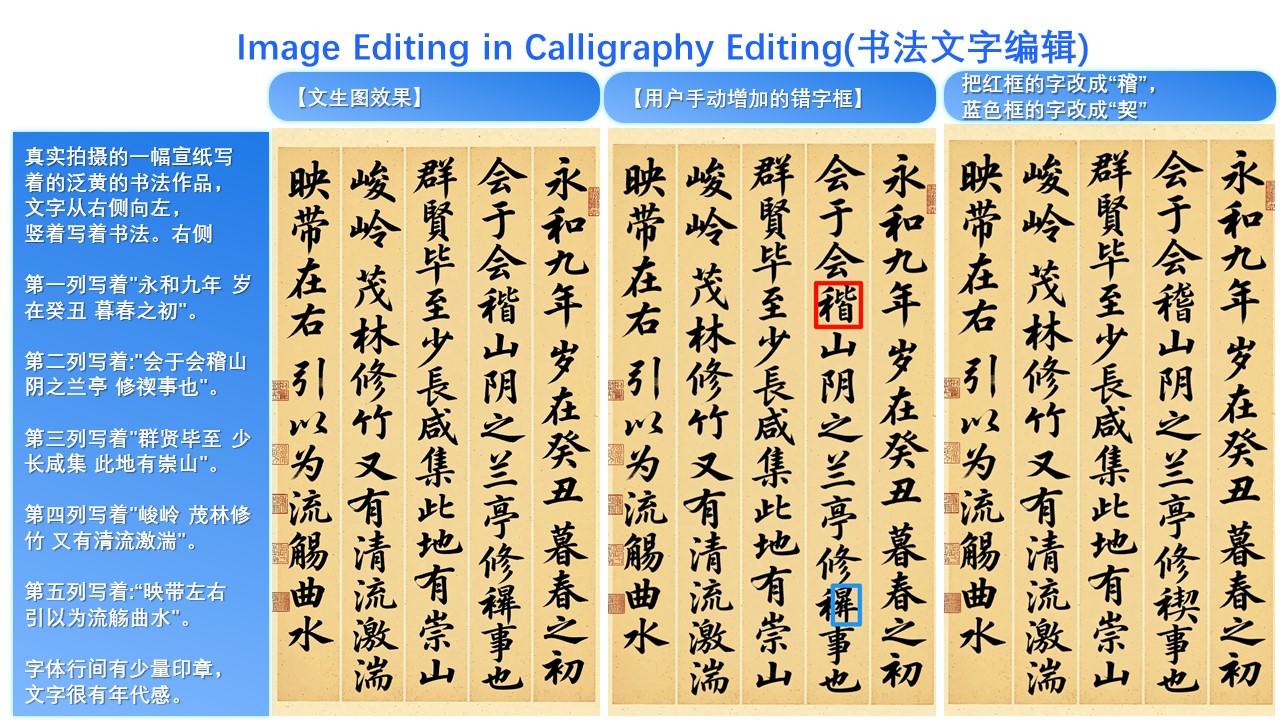
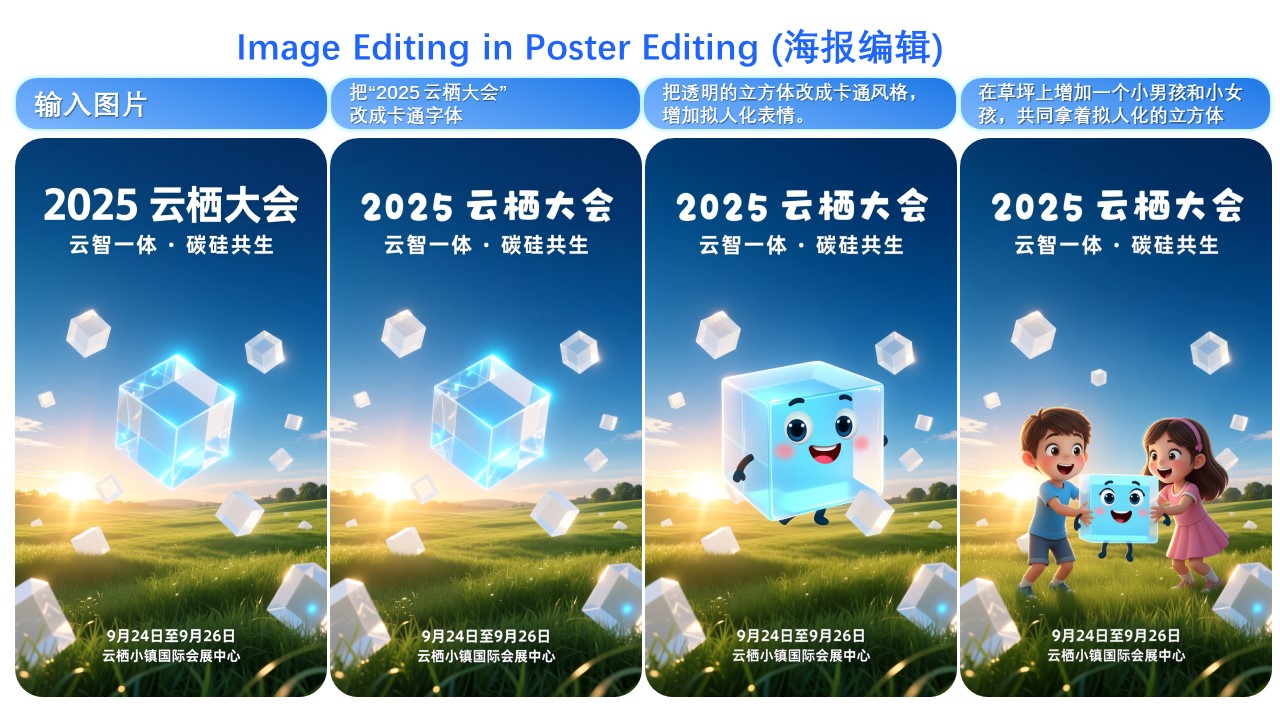
It is worth noting that text editing can often be seamlessly integrated with image editing—for example, in this poster editing case:
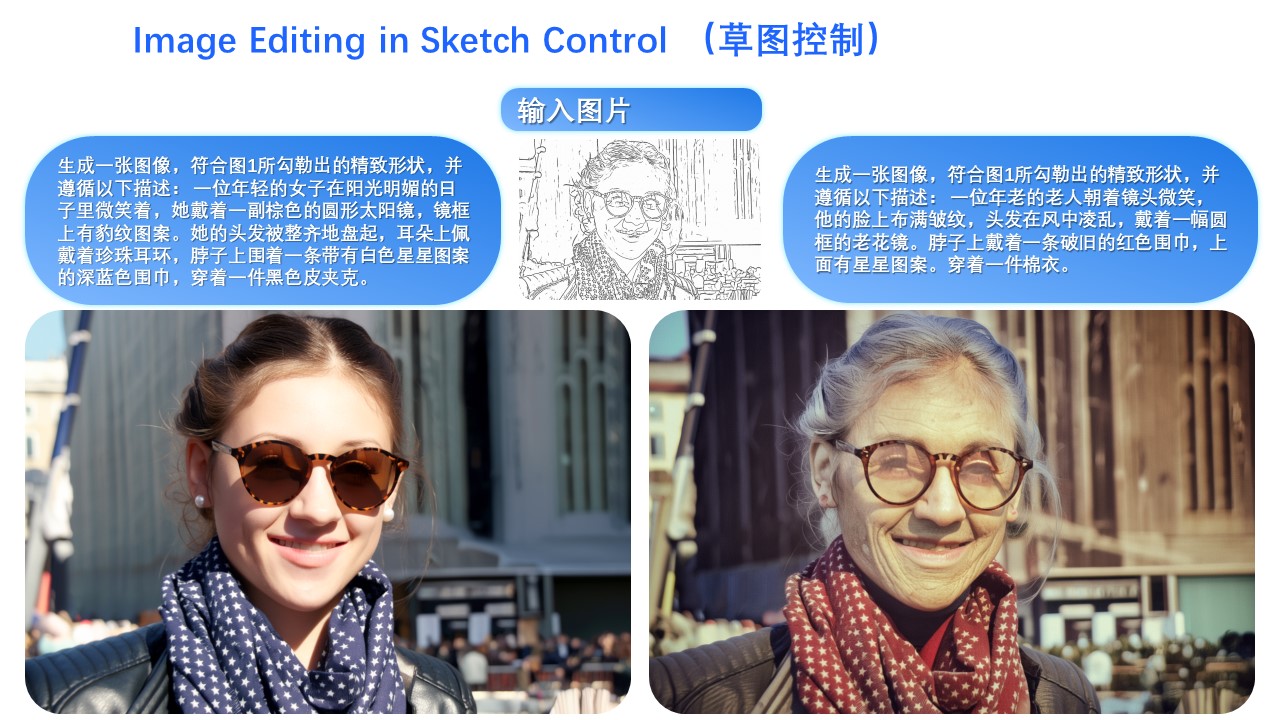
The final update in Qwen-Image-Edit-2509 is native support for commonly used ControlNet image conditions, such as keypoint control and sketches:
License Agreement
Qwen-Image is licensed under Apache 2.0.
Citation
We kindly encourage citation of our work if you find it useful.
@misc{wu2025qwenimagetechnicalreport,
      title={Qwen-Image Technical Report},
      author={Chenfei Wu and Jiahao Li and Jingren Zhou and Junyang Lin and Kaiyuan Gao and Kun Yan and Sheng-ming Yin and Shuai Bai and Xiao Xu and Yilei Chen and Yuxiang Chen and Zecheng Tang and Zekai Zhang and Zhengyi Wang and An Yang and Bowen Yu and Chen Cheng and Dayiheng Liu and Deqing Li and Hang Zhang and Hao Meng and Hu Wei and Jingyuan Ni and Kai Chen and Kuan Cao and Liang Peng and Lin Qu and Minggang Wu and Peng Wang and Shuting Yu and Tingkun Wen and Wensen Feng and Xiaoxiao Xu and Yi Wang and Yichang Zhang and Yongqiang Zhu and Yujia Wu and Yuxuan Cai and Zenan Liu},
      year={2025},
      eprint={2508.02324},
      archivePrefix={arXiv},
      primaryClass={cs.CV},
      url={https://arxiv.org/abs/2508.02324},
}
Annotated inference metadata
Review inference_metadata.annotated.yaml for inline explanations of this package's workflow, tensor/state/cache contracts, and fail-closed omissions. inference_metadata.yaml remains the canonical machine-authored contract; automated validation confirms both files parse to the same metadata object.