Mann-E 3 (Revision 2)
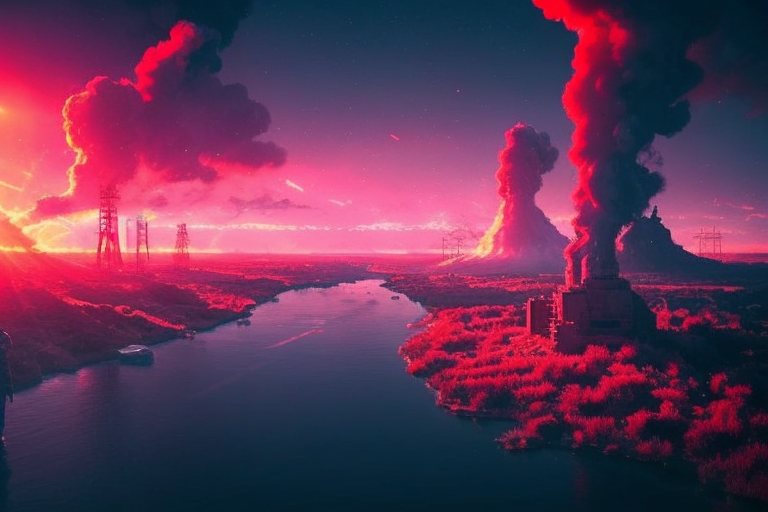
About The Model
Mann-E is an AI Art Generator or to be exact, a text to image model which has been developed by Muhammadreza Haghiri and it has been started as a hobby project by messing around with VQGAN. But with the release of Stable Diffusion in 2022, this hobby became more serious and intentions for publishing a brand new image generation model became stronger.
Since we have big names like Dall-E 2 and Midjourney in the scene and none of them were accessible for Iranian people (at least easily), Mann-E became an important project. First, it needed to produce art suitable for Iranian taste (which is not very different to be honest, specially with most of the art considered globally accepted in terms of style and stuff) and also easy to access through available tools.
What does Mann-E mean?
It's a play with the name Mani, who was a Persian religious leader at the early Sassanian era and also a painter and he's famous for both his religious and artistic works. His artistic side was more considered for naming the model of course.
How to use the model
Colab
You easily can click on this link and use model's inference notebook.
Code
The following code is written for CUDA supported devices. If you use UI's or inference tools on other devices, you may need to tweak them in order to get them to the work. Otherwise, it will be fine.
First, you need to install required libraries:
pip3 install diffusers transformers scipy ftfy accelerate
NOTE: installation of accelerate library makes the inference process amazingly faster. but it's totally optional.
Then, you need to import required libraries:
from diffusers import StableDiffusionPipeline, EulerDiscreteScheduler, DiffusionPipeline, DPMSolverMultistepScheduler
import torch
and then, create a pipeline (this pipeline is made with Euler Scheduler):
model_id = "mann-e/mann-e_rev-2"

scheduler = EulerDiscreteScheduler.from_pretrained(model_id, subfolder="scheduler")

pipe = StableDiffusionPipeline.from_pretrained(model_id, scheduler=scheduler, torch_dtype=torch.float16)
pipe = pipe.to("cuda")
and of course, since you may get NSFW filteration warnings even on simplest prompts, you may consider disabling it:
def dummy(images, **kwargs):
    return images, False

pipe.safety_checker = dummy
NOTE: Please consider consequences of disabling this filter as well. we do not want people to get any sort of damage or injury from the image generation results.
And after that, you easily can start inference:
prompt = "Concept art of a hostile alien planet with unbreathable purple air and toxic clouds, sinister atmosphere, deep shadows, sharp details"
negative_prompt = "low quality, blurry"
width = 768
height = 512
then:
image = pipe(prompt=prompt, negative_prompt=negative_prompt, num_inference_steps=100, width=width, height=height, guidance_scale=10).images[0]
image.save("My_image.png")
Important Notes
- This model is based on runwayml/stable-diffusion-v1-5 and this means your older stable diffusion prompts work very well. But consider that it also had different images and text prompts as well. So a little tweaking may seen necessary.
- For now, you must put both
blurryandlow qualityin the negative prompt to get good results. - A big number of inference steps results in a better result, but guidance scale around 10 or 12 is still good. These numbers are there just by experience and you may get different results.
- Faces of famous people may be generated with noise or glitch. Consider this when you're generating images of Elon Musk 😂